Know what arrived
Scan an invoice, review the items and check the delivery against what turned up. Record missing or damaged items while the boxes are still in front of you.
For independent coffee shops & café teams
Unpickle brings delivery checks, repeating jobs, stock counts and house knowledge into one browser-based app. Give the team a clear next job and keep a record of what happened, even when you’re away from the shop.
No card required · Then £29 + VAT a month per shop
Four everyday jobs, with a clear next step.
What your team can do
Built for the work between serving customers: checking the morning order, getting the shop ready and helping the next person pick up where you left off.
Scan an invoice, review the items and check the delivery against what turned up. Record missing or damaged items while the boxes are still in front of you.
Set opening, closing and cleaning jobs to repeat. Add specific steps and ask for a photo where seeing the result matters.
Let staff report what’s running low, keep a shopping list grouped by supplier and use regular stock counts to inform the next order.
Put your recipes, equipment instructions and handover knowledge in articles with photos and tags. New starters can look up the way your café does things.
How it works
Here’s how a small café could use Unpickle through a normal day. Set the routines around your shop’s actual service and equipment.
The opener works through the scheduled checklist: prepare the coffee station, check the display and get the customer area ready. Any required photos stay with the task.
Count the items against the delivery, flag a shortage and record who checked it. The manager has the details to follow up with the supplier.
A team member reports that cups are running low. A new starter finds the cleaning instructions in house knowledge without having to track down the manager.
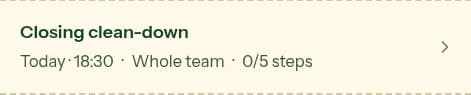
Staff complete the closing jobs. The manager can review task history and outstanding delivery problems before planning the next day.

From an independent café
11.5% of checked deliveries had a recorded problem in the shop’s account, verified on 16 October 2026. The owner shared the story with permission. This is one shop’s experience, not an industry average or a measure of money recovered.
Read Matté Coffee + Chill’s storyUse your trial to see whether your team can find the work, finish it and leave a useful record. At the end of the shift, check whether another person can pick up an unfinished job without asking you what happened.
Every feature included. Unlimited staff, with no charge per person.
Start your 30-day free trialNo card required. Email hello@unpickleapp.com within 30 days of your first payment to request a full refund, no questions asked. Cancel renewal through Billing to stop future payments.
Café management software helps a coffee shop organise its daily operations. Unpickle covers supplier deliveries, recurring tasks and checklists, stock counts, low-stock reports and shared team knowledge in a browser-based app.
No. Unpickle handles daily operational work such as delivery checks and opening lists. Use your existing point-of-sale system for customer orders and payments.
Yes. Managers can set up a shared device with a shop code and password, so staff can use it without individual accounts. Unpickle also works in a web browser on a phone or computer.
No. Independent retailers, restaurants, bars and bakeries can also use Unpickle for deliveries, daily jobs, stock and house knowledge. You write the tasks and instructions around your own operation.
Unpickle costs £29 + VAT per month per shop, with unlimited staff and all features included. Start with a 30-day free trial; no card is required. Email hello@unpickleapp.com within 30 days of your first payment to request a full refund. Cancel renewal through Billing to stop future payments.
Keep making the day easier
Set useful stock levels, count the essentials and close the loop when deliveries arrive.
Practical guideTurn the questions you answer every week into useful house knowledge.
Explore the productSee how invoice scanning, quantity checks and problem records fit together.