Write the steps once
Create a task with a clear title, instructions and a checklist. Keep opening preparation, daily cleaning and closing security in routines that make sense to your team.
Instructions at task and checklist-step level
Opening, closing & the jobs in between
Turn your opening, closing and cleaning routines into repeating tasks in Unpickle. Staff follow the steps, add required photos and leave a completion record your manager can review.
No card required · Then £29 + VAT a month per shop
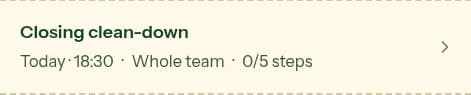
Due 07:30 · 2 of 4 steps checked
What your team can do
Write the way your shop actually works. Keep each step specific enough that a new starter and an experienced team member know what done looks like.
Create a task with a clear title, instructions and a checklist. Keep opening preparation, daily cleaning and closing security in routines that make sense to your team.
Choose daily, selected weekdays or a custom recurrence. Set a due time where it matters and assign the work when a particular team member owns it.
Require a photo for the whole task or a specific step. Staff add the evidence before finishing, so a manager can see the result as well as the tick.
Staff can report a problem while working through a task. Managers can review the task’s record and follow up on what still needs attention.
How it works
Begin with your existing procedure and make the actions observable. These are example steps to adapt, not a complete food-safety or equipment procedure.
Set the routine to repeat on your opening days, choose a due time before service and add a short set of steps the opener can follow.
Replace “sort the counter” with “restock cups and lids, wipe the counter and empty the knock box”. Link the team to your house instructions where more detail is needed.
Ask for a photo of the prepared display if that helps the manager review the setup. Use photo requirements for the steps where seeing the result is useful.
Look at completed tasks and reported problems with the team. Update future tasks when your equipment, opening hours or way of working changes.
Start with a useful list
Use our café checklist guide as a starting point, then adapt the steps to your equipment and responsibilities. Your team still needs clear instructions for any issue that needs a manager’s attention.
Get the opening & closing checklist templatesKeep your first trial focused. Ask a team member to follow the list without a manager talking them through it, then review completed steps, photos and any problems together. Rewrite the instructions that caused confusion.
Every feature included. Unlimited staff, with no charge per person.
Start your 30-day free trialNo card required. Email hello@unpickleapp.com within 30 days of your first payment to request a full refund, no questions asked. Cancel renewal through Billing to stop future payments.
A digital café checklist is a set of opening, closing, cleaning or other operational steps staff complete on a device. In Unpickle, checklists sit inside tasks with instructions, repeat schedules, optional photo requirements and a completion record.
Yes. Set a task to repeat daily, on selected weekdays or on a custom schedule, and add a due time when needed. Managers can edit future tasks as the routine changes.
Yes. You can require a photo for a task or an individual checklist step. The required photos must be added before staff can finish the task.
Yes. You can write and schedule cleaning tasks for your café, restaurant, bar or bakery. Adapt them to your equipment instructions and food-safety procedures; recording a completed checklist does not by itself establish compliance.
No. Unpickle works in a web browser on a phone, tablet or computer. Managers can also set up a shared shop device so staff do not need individual accounts.
Unpickle costs £29 + VAT per month per shop, with unlimited staff and all features included. Start with a 30-day free trial; no card is required. Email hello@unpickleapp.com within 30 days of your first payment to request a full refund. Cancel renewal through Billing to stop future payments.
Keep making the day easier
Practical starting points, clearer wording and a record for each shift.
Practical guidePreserve useful records, test one routine and decide when your team is ready to switch.
Explore the productDeliveries, stock and house knowledge alongside your repeating jobs.